
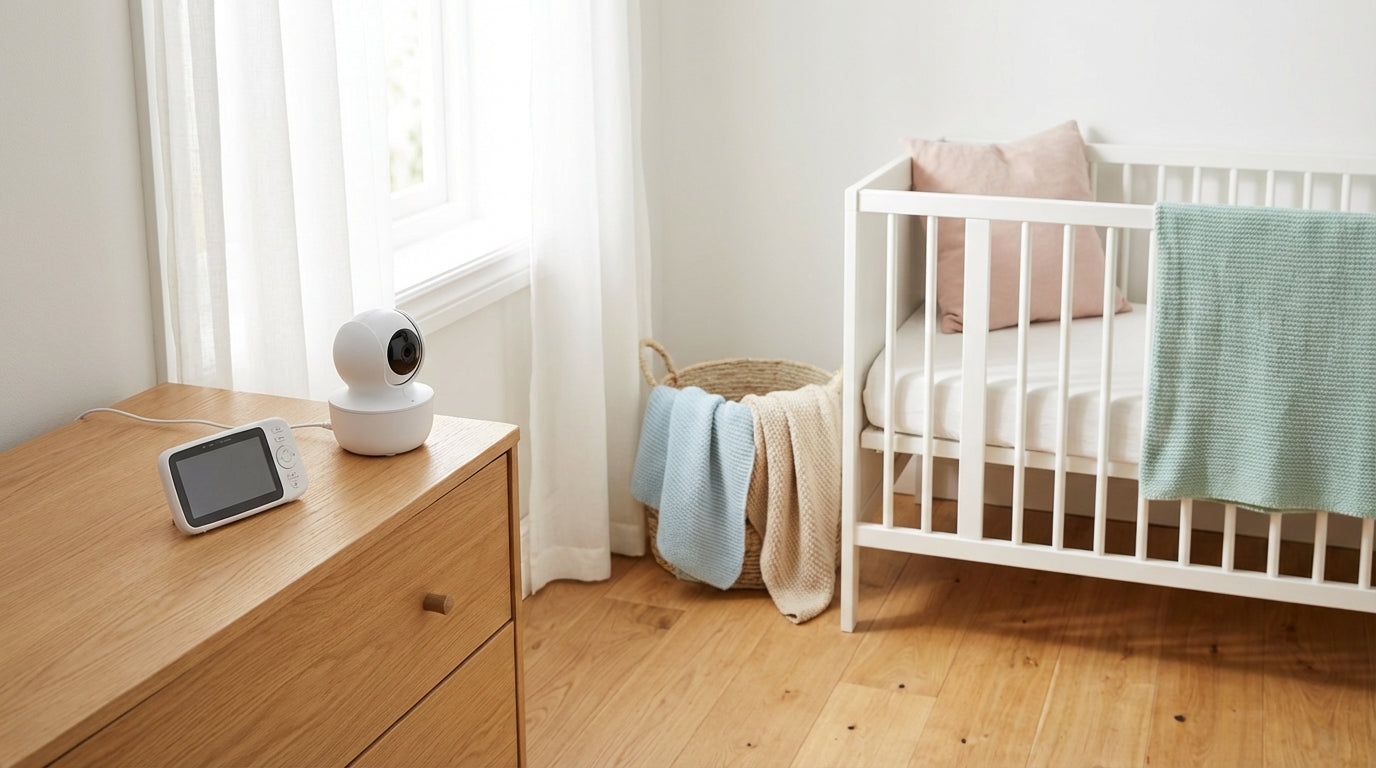
Baby Monitor with Camera and No WiFi: Safe, Low-Radiation & Simple
At a Glance
- A baby monitor with a camera and no WiFi sends its signal directly between the camera and the parent unit.
- You can cut down on wireless signals in daily life mostly through distance, VOX and eco modes.
- Always test the range at home: walls and ceilings are the real bosses.
- No internet is often more relaxing, but cable safety is still a must.
- App/WiFi can be handy, but it needs passwords, updates and discipline.

A baby monitor with a camera and no WiFi is usually the calmest solution if you want to reliably see and hear your little one at home. The camera and the parent unit talk directly to each other, with no router, no cloud account and no "the app unfortunately needs an update now". In this guide you'll get a clear overview (monitor system vs. app system), a step-by-step setup, realistic range tips for apartments and houses, and a little checklist to tick off. As we say in northern Germany: so you don't end up needing a second evening hobby called "troubleshooting".

Ulli & Flo
Owners of bieco · Hamburg · parents themselves
At night we like things uncomplicated: monitor on, baby in view, done. With a bit of distance, VOX and tidy cables, the whole thing becomes really practical for everyday life. Feel free to browse our baby monitor collection.
Baby Monitor with Camera and No WiFi: What Does That Actually Mean?
"Without WiFi" means the camera doesn't use your home network but sends its signal directly to the parent unit. You usually have a baby unit (the camera) and a parent unit (the monitor), which are permanently paired with each other. For many families that's pleasantly simple: switch on, pair, done.
A "closed system" is a wireless connection that doesn't run over the internet. In practice that means no remote access when you're out and about, and usually fewer IT chores like accounts or cloud services. (Of course it doesn't get by with zero technology, but it stays manageable.)
Which Wireless Technology Is Behind It, and Why Should Parents Care?
The wireless technology affects how reliably picture and sound get through walls. Video baby monitors without WiFi often use digital radio solutions (frequently described as FHSS or "digital"). Audio-only baby monitors, on the other hand, often work with DECT.

DECT is a digital standard for cordless communication that is often used in audio devices. Whether a device "transmits more quietly" in everyday use depends less on the name and more on whether it has features like Eco or Full-Eco and how these are implemented in the particular model.
Practical tip: Check the manual or the technical data: it usually says "DECT", "FHSS" or "digital". That saves you the guesswork.
Using It with Low Radiation: What You Can Really Influence
In everyday life, "low-radiation" mostly means creating distance and avoiding continuous operation. Wireless is never "nothing", but you can often reduce the amount of wireless activity without rebuilding the nursery.
- Distance is the biggest lever: Don't place the baby unit right next to the bed, but as far away as is practical while picture and sound are still reliable.
- Use VOX/voice activation: Many devices only transmit more strongly once a sound is detected. At night this can be noticeably calmer.
- Check Eco/Full-Eco functions: With DECT devices, eco functions can reduce the transmission power; according to the Bavarian Environment Agency, newer DECT devices can switch off transmission power on standby and reduce it during calls (depending on the device). (LfU Bayern)
- Don't keep the display "maxed out" all the time: If your device has a screen standby (sound stays on), that's often more practical for everyday life than permanent live video.
Safety note: Power adapters and cables always belong out of your baby's reach. Never run cables along the bed or just "quickly" drape them over the edge of the bed.
No WiFi (Monitor) vs. WiFi/App: The Honest Comparison
The best choice is the one that fits your daily life: at home only, or on the go too. So you don't spend five evenings sorting tables in your head, here's a compact comparison.

| Criterion | No WiFi (camera ↔ monitor) | WiFi/app (camera ↔ router ↔ phone) |
|---|---|---|
| Security/attack surface | Usually fewer online risks, because no internet access is needed. | More IT topics: account, passwords, updates, possibly cloud/remote access. |
| Everyday convenience | Simple: monitor on, done. No phone needed. | Handy if you do everything on your phone anyway. |
| Checking in on the go | Generally not possible (or only to a very limited extent). | Usually possible when internet is available. |
| Range | Depends on the apartment/walls; often stable within your own four walls, but not "magical". | At home: depends on the WiFi; on the go: depends on internet & app. |
| Wireless signals in the home | Its own wireless link between camera and monitor. | WiFi signal plus data traffic via router/internet. |
| Costs/subscriptions | Often a one-time purchase. | Some systems offer extra services (depending on the provider). |
Range in Apartments & Houses: What's Realistic (and What Isn't)
Range figures often apply in open field; in real homes, walls and ceilings are what count. With video in particular, the connection can be more sensitive than with audio alone. Stiftung Warentest (the German consumer testing foundation) describes that models with video transmission sometimes need to be close to the child and that the connection doesn't always reach from one end of a large apartment to the other. (Stiftung Warentest)

Older buildings, reinforced concrete and underfloor heating are typical range killers. From everyday parenting life (and yes, we've cursed this too): a concrete ceiling can "swallow" more than three drywall partitions. And sometimes one step to the left is all it takes to get things running again.
- Apartment with drywall: Often fine, but corners and hallways can still be temperamental.
- Older building with thick walls: Range can be better or worse, surprise package included.
- Several floors/concrete ceilings: Testing is especially worthwhile here, before you rely on it at night.
Privacy & IT Security: No WiFi Is Good, but Clean Is Clean
No WiFi is often more relaxing because you have fewer digital doors to look after. With monitor systems, the topic of "account/cloud" usually doesn't exist at all. With WiFi/app systems, on the other hand, it's central, because the camera (or the service behind it) is internet-enabled.
For smart devices, Germany's Federal Office for Information Security (BSI) advises, among other things, strong passwords and regular updates. These basic rules apply especially to internet-enabled cameras, because default passwords and outdated software create unnecessary risks. (BSI)
- If you want "no WiFi": Make sure no app/cloud is required to use the device.
- If you use app/WiFi: Change the default password, install updates, and only enable remote access if you really need it.
- Protect the monitor/phone: A lock code/screen lock already helps against curious sibling hands.
Setup Step by Step: How to Make It Reliable at Night
A good setup is one that still works at 3:17 a.m. Here's the order that has proven itself in many families: safety and stability first, fine-tuning afterwards.

- Choose a position: To the side and raised, with a view of the bed, not directly above your baby. That way you see enough without having to mount it "looking down from above".
- Check the distance: Place the baby unit as far away as possible, as long as picture and sound stay reliable.
- Route cables safely: Behind furniture, without loops, and away from the bed. If you think "it'll be fine": that's exactly where it usually isn't.
- Test night vision: Once with the lights off, once with a night light. Some pictures get better with a night light, some get worse.
- Set sound/sensitivity: Choose a VOX level where rustling doesn't constantly trigger it, but crying definitely comes through.
- Test the range: Kitchen, bathroom, balcony. And yes: also the spot where you actually sit in the evening.
Practical tip: If the picture drops out, move the monitor 20–50 cm or turn it slightly. Wireless is sometimes like a stubborn sheep: you just have to find the right spot in the fence.
Mini Test Checklist to Print Out (or Snap a Photo Of)
With this checklist you'll know within 10 minutes whether your setup works for everyday life. Go through it once, tick the boxes, then get back to more important things (such as sitting down).
- Picture okay in the dark? (night vision + night light tested if needed)
- Sound responds sensibly? (VOX not too sensitive, not too sluggish)
- Connection stable in your usual spots? (sofa, kitchen, bathroom, balcony)
- Cables safely out of reach? (no loops, away from the bed, nothing within grabbing distance)
- Battery/power adapter practical for daily use? (the monitor lasts through the evening, without constant charging at the bed)
What to Look For When Choosing (Without Tying Yourself in Knots)
You can recognize good devices by the fact that they take stress away, not by how "smart" they sound. A pragmatic list of what really matters in everyday parenting:
- Monitor system instead of app obligation: If you mostly monitor at home, this is often the more relaxed option.
- VOX/voice activation: Helps avoid continuous transmission (if the model implements it that way).
- Night vision & a usable display: Large enough that you don't have to guess what you're looking at.
- Battery life of the parent unit: Otherwise the monitor is constantly plugged in, which is rarely pretty in daily life.
- Transparency about testing/materials: Reputable providers explain clearly how they test and which standards they meet.
At bieco we're pretty Hanseatic about this: better honest than loud. As a family business from Hamburg, we've been doing this for 66 years and pay attention to the details that don't get on your nerves at night. And yes: safety transparency is part of that, meaning clear information on materials, testing and what a device can do (and what it can't).
Keep Clicking If You Like: Baby Monitor Overview & Further Reading
If you now know "no WiFi, please", you're already very far along. And if you'd like to browse or compare a bit more, here are some useful places to go next:
- Baby monitors
- Baby monitor test
- Baby Monitor with Camera Test & Comparison: The Best Models 2024
- Good & Affordable Baby Monitor with Camera: What to Look For When Buying?
FAQ
Are baby monitors without WiFi really safe?
They are often safer in the sense of "fewer online risks", because they don't run over the internet. Even so, practice is what counts: a safe setup, a stable connection and no cables near the bed. With WiFi/app devices, passwords and updates become especially important, as the BSI recommends for smart devices. (BSI)
What range is realistic in apartments?
Realistically: significantly less than "open field", because walls and ceilings dampen the signal. Video can be more sensitive than audio here. Stiftung Warentest describes that video baby monitors sometimes have to be placed closer to the child and are not always consistently stable in large apartments. (Stiftung Warentest)
What do VOX, Eco and Full-Eco mean?
VOX usually means: the device reacts to sounds and then transmits more strongly. Eco/Full-Eco are manufacturer terms for reduced wireless activity, often on standby. How strong the effect is depends on the model; according to the LfU Bayern, newer DECT devices can switch off transmission power on standby. (LfU Bayern)
Where is the best place to put the camera?
To the side and raised, with a view of the bed, is usually the most practical. That way you get a good picture without the camera standing right next to the bed. Cable safety is important: route the power adapter and cable so your child can't reach them. Afterwards, test once in the dark to see whether the night vision works well.
What is better: a monitor system or an app baby monitor?
Monitor systems are often more relaxing if you only want to monitor at home. App baby monitors are handy for on the go, but come with more IT tasks: accounts, passwords, updates and a conscious approach to remote access. If you want "less digital", a system without WiFi is usually the calmer choice.
Conclusion: A Decision Aid in One Sentence
If you want reliable monitoring at home, a baby monitor with a camera and no WiFi is usually the least stressful choice. Take 10 minutes once for the setup and range test, and you'll have peace of mind in the evening. And if you'd like to look at models: in our baby monitor overview and the baby monitor test you'll find the right next steps, with no fuss at all.


